
.png?width=300&name=creative-intelligence-suite-nav-menu-img%20(1).png)
.png?width=104&height=124&name=Rectangle%201405%20(1).png)
.png?width=104&name=nav-thumbnail%20(2).png)
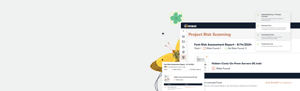
Connect + Insight
Safeguarding Compliance, Unblocking Creativity
Connect + Insight Prevents Pre-Production Panic
Quickly identify and resolve font usage risks buried within project files so production runs silky smooth with Connect + Insight. New license management tools also give teams complete visibility into usage and entitlements before production begins, ensuring that every project is executed with peace of mind.
Less Busywork, More Brilliant Work
Bye-bye junk drawer folder, hello beautiful creative process. Connect + Insight seamlessly supports teams using the Adobe Creative Cloud and other popular creative tools.
- Creative asset management:
Logos, stock images, brand photos—stash all your creative imagery securely in the cloud with intelligent auto-tagging that makes finding what you need effortless - Font management:
Our proprietary font recognition technology is the most accurate in the industry. Save your team time with spot-on auto-activation, font recommendations, and awesome Adobe compatibility. - Collaboration:
Create libraries of print and web fonts along with creative assets to share with your team, ensuring everyone is using the same, correct creative elements. - Font license compliance:
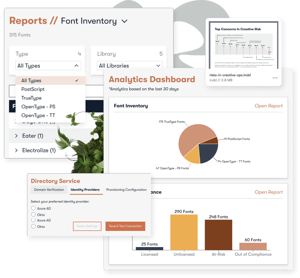
Connect + Insight makes it easy to bundle licensing info with fonts thanks to reporting tools that help you keep an eagle eye on compliance.
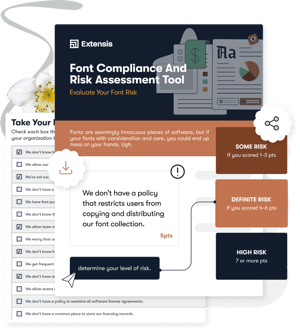
Font Risk Assessment Report
Report on creative risks at any point during creative operations by sharing Font Risk Assessment reports with team members so they know what fonts to fix if something's broken.
 Point. Click. Shoot. Audit Done
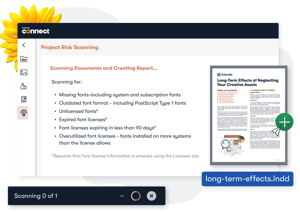
 Project Risk Scanning
Drag and drop Adobe project files to inspect them for font usage and font license risks in seconds.
 Fix Fonts Before It's Too Late
 Keep Big Brand Promises
 Less Liability Is Liberating
 Single Source of Truth
